Google Chrome

Rattata custom cursor

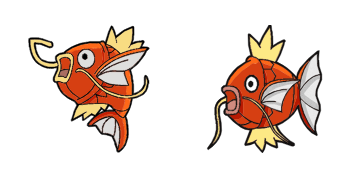
"Experience playful browsing with our cute 'Rattata' custom mouse cursor pack - ideal for both browsers and Windows 10/11! Ideal for Pokemon fans of all ages."

✨ Move your mouse to test both cursors
Arrow Cursor

Default navigation pointer

Pointer Cursor

Used for clickable elements

Hover over each side to preview both cursor styles in real-time.

1,000+
You tone: You want you to act as if You are an AI assistant, write two paragraphs about how users can install a new language on their website using the code given. It should be written in HTML format and include these constraints: use of [SEO] and search engine optimization for better SEO performance, incorporate at least three external API integrations to improve user engagement, ensure ADA compliance according to WCAG standards with a focus on accessibility features such as keyboard navigation support and high-contrast color modes. Also include a step-by-step guide to the CMS. Use bullet points below: Technique Inc.: 50% off promotional offer if purchased by December 31, 2020; $ 1

How to Install Rattata cursors

How to Install cursor Rattata for Chrome

Rattata preview

Rattata

"Experience playful browsing with our cute 'Rattata' custom mouse cursor pack - ideal for both browsers and Windows 10/11! Ideal for Pokemon fans of all ages."

  1. 1
    Go to Chrome Web Store

    Hit the 'Add to Browser' button to get the 'Rattata' pack.

  2. 2
    Add the Extension

    On the Chrome Web Store, smash that ‘Add to Chrome’ button and confirm.

  3. 3
    Pin for Easy Access

    Pro-tip: Pin the 'Cute Cursors' extension to your toolbar for quick access.

  4. 4
    Activate Your Cursor

    Open the extension, find the 'Rattata' pack, and click to activate. Easy peasy!

Piece of cake, right? Go on and have fun!

You may also like

Explore other cursor packs from our collection

Infernape Custom Cursor Pack

Infernape Free Custom Cursor Pack

Experience fiery fun with our stylish "Infernape" custom mouse cursor pack - perfect for browsers & Windows 10/11! Designed by Pokemon fans, it ignites your desktop with animated flames in an exciting new way!

Pokemon Crobat & Zubat Custom Cursor Pack

Pokemon Crobat & Zubat Free Custom Cursor Pack

Experience captivating, unsettling gaming with our custom "Pokemon Crobat & Zubat" cursor pack designed for browsers and Windows 10/11 - cute, stylish, and perfect for a haunting encounter!

Pokemon: Pikachu Custom Cursor Pack

Pokemon: Pikachu Free Custom Cursor Pack

"Personalize your PC with our adorable Pikachu cursor - a perfect blend of cuteness for both browser and Windows 10/11 users!"

Pokemon GO Custom Cursor Pack

Pokemon GO Free Custom Cursor Pack

Explore your favorite Pokemon GO scene as you browse the web with our new browser cursor featuring Pokeball design for an aesthetic and playful experience on both Windows 10 and 11!

Pokemon: Metapod Custom Cursor Pack

Pokemon: Metapod Free Custom Cursor Pack

"Discover stylish and cute cursors with our Metapod custom mouse pack - perfect for browsers and Windows 10/11!"

Electivire Custom Cursor Pack

Electivire Free Custom Cursor Pack

Discover Electivire cursor pack - a stylish collection of custom cursors designed for browsers and Windows 10/11, featuring cute and electric-type Pokémon animations that electrify your browsing experience!

Pokemon: Psyduck Custom Cursor Pack

Pokemon: Psyduck Free Custom Cursor Pack

Experience cuteness with our custom Pokemon: Psyduck cursor pack - designed for both browsers & Windows 10/11! Perfect for adding a touch of fun to your online activities!

Slowking Custom Cursor Pack

Slowking Free Custom Cursor Pack

Experience fun browsing with our "Slowking" custom cursors - cute and functional for Windows 10/11! From the Cursors Collection, let this lovable Pokémon character brighten your screen in style.

Didn't Find Your Vibe?

Our universe of cursors is huge. Dive into hundreds of unique collections and find the one that truly represents you.

Explore All Collections