

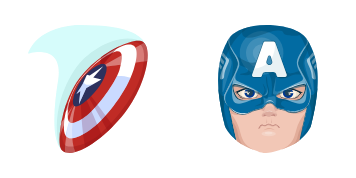
Captain America cursor
Captain America cute cursor upgrade - free custom cursor for busy tabs.
Try the The Wasp cute cursor - free custom cursor with hero energy.
Try this cursor
Move across the preview to feel both cursor styles.

The The Wasp cute cursor leans playful rather than loud, so the tip stays useful while looking fresh. Grab this free custom cursor for Chrome and Edge, and set it on Windows 10/11 with Custom Cursor when desktop-wide style matters.
Flat color blocks hold up well, so The Wasp reads clearly on busy layouts. Fan-made artwork celebrating superhero style - not official Marvel merchandise.
Browse nearby picks like Thor Cursor Pack, Thor Soft Cursor Pack, and Thor and Mjolnir Cursor Pack.
Try the The Wasp pack and refresh your desktop with a clearer hero tip.
Explore other cursor packs from our collection
Captain America cute cursor upgrade - free custom cursor for busy tabs.

Doctor Strange cute cursor set - free custom cursor that keeps clicks sharp.

Hulk cute cursor look - free custom cursor with steady comic tones.
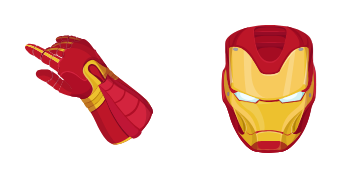
Drop in the Iron Man cute cursor - free custom cursor for tidy pointers.

Nick Fury cute cursor for fans - free custom cursor with a clean tip.

Start clicks with the Thanos cute cursor - free custom cursor, easy setup.

Swap in the Among Us Hulk cute cursor - free custom cursor for sharp clicks.

Pick the Among Us Iron Man cute cursor - a free custom cursor with hero charm.

Try the The Wasp cute cursor - free custom cursor with hero energy.
Hit the 'Add to Browser' button to get the 'The Wasp' pack.
On the Chrome Web Store, smash that ‘Add to Chrome’ button and confirm.
Pro-tip: Pin the 'Cute Cursors' extension to your toolbar for quick access.
Open the extension, find the 'The Wasp' pack, and click to activate. Easy peasy!
Our universe of cursors is huge. Dive into hundreds of unique collections and find the one that truly represents you.
Explore All Collections
Install it now for free from the official Chrome Web Store
Idle
{
  "status": "idle"
}