Google Chrome

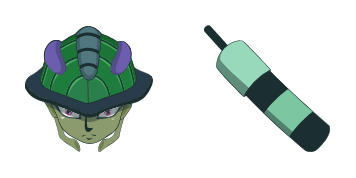
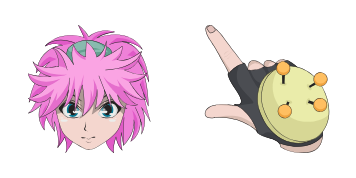
Hunter Hunter custom cursor

"Discover the Hunter Hunter cursor pack from Anime Cursor Collection - featuring cute and stylish browser cursors for Windows 10/11 that add a touch of anime flair to your daily browsing experience!"

✨ Move your mouse to test both cursors
Arrow Cursor

Default navigation pointer

Pointer Cursor

Used for clickable elements

Hover over each side to preview both cursor styles in real-time.

1,000+
Answer: You can do this without using any specific software. Here's the code to make it happen: ```python import math from sympy.ntheory import SymbolicFiniteGroup, PolyhedralCavitySpectrumDist from "SymPy", and ctypes for Windows API in Python with PySide package manager installed on your system (which includes a lot of helpful modules): # 1) Create the cursor sets - Cursors.jl: A list of cursors can be created using various methods, such as mouse movement or keyboard inputs. Here is an example where we create a simple array that stores all the different types of cursors available for the user to choose from: ```python import random class CursorPack: def __init__(self): cursor_type = ['cross', 'hand', 'arrow', 'text-select'] cursor_styles = { "standard": "Standard", "fancy": ["Awesome!","Cute"], "animated": {"size" : 30, "color": "#00ffffff"}, "steadyCursor": True, "pulseInterval": 5} cursor_pack = { def __init__(self): self.colors = {} def initialize(self): for cursor in cursor_type: if not cursor_style in cursor_styles[cursor]: raise ValueError("Invalid Cursor style") class MousePositionHandler: def __init__(self, x=0, y=0, width=45, height=30): self.x = x self.y = y self.width = 60 self.height = height cursors = [] for cursor_type in cursor_types: cursors.append(Cursor(cursor_type, cursor_styles[cursor_style], self)) def __init__(self): self.x = 0 # Initial x-coordinate on the screen self.y = 25 class Cursor: def move(self, dx=0, dy=0): """cursor location is now (x + dx, y + dy) where x and y are initial coordinates"""

How to Install Hunter Hunter cursors

How to Install cursor Hunter Hunter for Chrome

Hunter Hunter preview

Hunter Hunter

"Discover the Hunter Hunter cursor pack from Anime Cursor Collection - featuring cute and stylish browser cursors for Windows 10/11 that add a touch of anime flair to your daily browsing experience!"

  1. 1
    Go to Chrome Web Store

    Hit the 'Add to Browser' button to get the 'Hunter Hunter' pack.

  2. 2
    Add the Extension

    On the Chrome Web Store, smash that ‘Add to Chrome’ button and confirm.

  3. 3
    Pin for Easy Access

    Pro-tip: Pin the 'Cute Cursors' extension to your toolbar for quick access.

  4. 4
    Activate Your Cursor

    Open the extension, find the 'Hunter Hunter' pack, and click to activate. Easy peasy!

Piece of cake, right? Go on and have fun!

You may also like

Explore other cursor packs from our collection

Hisoka Morow Custom Cursor Pack

Hisoka Morow Free Custom Cursor Pack

Discover unique and stylish Hisoka Morow cursors for browsers and Windows 10/11 - designed with a dark, sleek look inspired by "Hunter x Hunter". Elevate your browsing experience with these cute and distinctive cursor packs from Cursors Collection.

Chrollo Lucilfer Custom Cursor Pack

Chrollo Lucilfer Free Custom Cursor Pack

Dive into a world of anime with "Chrollo Lucilfer" custom cursor pack - perfect for browsers and Windows 10/11 systems!

Isaac Netero Custom Cursor Pack

Isaac Netero Free Custom Cursor Pack

Discover the "Isaac Netero" custom mouse cursor pack - stylish cursors featuring beloved anime characters for browsers & Windows 10/11.

Machi Komacine Custom Cursor Pack

Machi Komacine Free Custom Cursor Pack

Experience unique style with our Machi Komacine custom cursors from Cursors Collection - perfect for Windows 10/11 and browsers, featuring an intricate, purple-themed design inspired by "Hunter x Hunter".

Leorio Paradinight Custom Cursor Pack

Leorio Paradinight Free Custom Cursor Pack

Dive into browsing with our "Leorio Paradinight" custom cursors - cute, stylish mouse pointers for Windows 10 and 11 inspired by Hunter x Hunter!

Meruem Custom Cursor Pack

Meruem Free Custom Cursor Pack

Discover Meruem cursor pack from Cursors Collection - a vibrant blend of browser and Windows 10/11 customizable mouse pointers inspired by the popular anime "Hunter x Hunter". Perfectly tailored to add fun and personality to your browsing experience.

Kurapika Custom Cursor Pack

Kurapika Free Custom Cursor Pack

Experience a touch of individuality and style with our cute and stylish "Kurapika" custom cursor pack for browser and Windows 10/11 users looking to add some anime flair!

Kalluto Zoldyck Custom Cursor Pack

Kalluto Zoldyck Free Custom Cursor Pack

Discover stylish aesthetic mouse pointers with our unique "Kalluto Zoldyck" custom cursor pack for browsers and Windows 10/11 - the perfect addition to your anime collection!

Didn't Find Your Vibe?

Our universe of cursors is huge. Dive into hundreds of unique collections and find the one that truly represents you.

Explore All Collections