


Spectre cursor
Spectre cute cursor set - free custom cursor with dispersion mist flair.
Lina cute cursor set - free custom cursor with dragon-slave spark.
Try this cursor
Move across the preview to feel both cursor styles.

Dragon Slave spark for everyday clicks: this Lina cute cursor keeps the tip lively and warm. Install this free custom cursor in Chrome or Edge, and on Windows 10/11 via Custom Cursor when you want Pyro cheer beyond the browser.
Soft flame details stay readable at pointer size. Fan-made only - not tied to any official merchandise line.
Keep the heat going with the Windranger Cursor Pack, the Templar Assassin Cursor Pack, and the Drow Ranger Cursor Pack.
Get Lina and tuck flame spark into your mouse path.
Explore other cursor packs from our collection
Spectre cute cursor set - free custom cursor with dispersion mist flair.
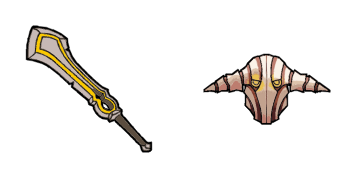
Sven cute cursor set - free custom cursor with god-strength grit.

Dota 2 Games cute cursor - free custom cursor with esports arena polish.

Dota 2 Characters cursor - a soft fantasy roster buddy for fans of the Ancient battlefield.

Dota 2 Heroes cursor - an armored champion arrow ready for mid-lane clicks.

Dota 2 Logo cursor - a friendly fantasy shield crest buddy inspired by MOBA vibes.

Abaddon cursor with a mist-sword hover hand - soft Lord of Avernus vibes for every click.

Alchemist cursor plus a chemical-flask pointer - gold rush energy without leaving your desktop.

Lina cute cursor set - free custom cursor with dragon-slave spark.
Hit the 'Add to Browser' button to get the 'Lina' pack.
On the Chrome Web Store, smash that ‘Add to Chrome’ button and confirm.
Pro-tip: Pin the 'Cute Cursors' extension to your toolbar for quick access.
Open the extension, find the 'Lina' pack, and click to activate. Easy peasy!
Our universe of cursors is huge. Dive into hundreds of unique collections and find the one that truly represents you.
Explore All Collections
Install it now for free from the official Chrome Web Store
Idle
{
  "status": "idle"
}