Google Chrome

Fortnight custom cursor

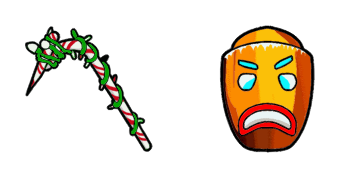
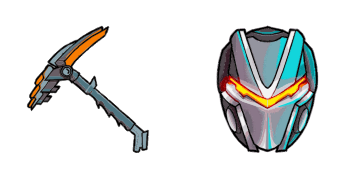
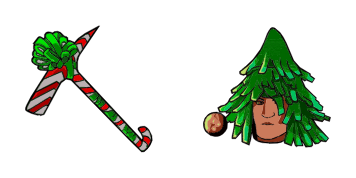
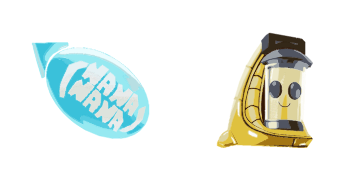
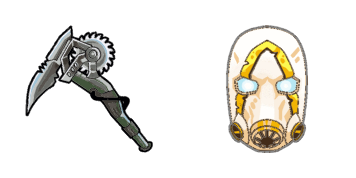
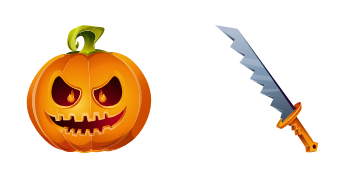
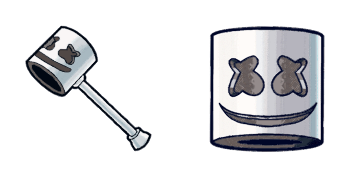
Unleash your creativity with our exclusive "Fortnight" cursor pack! Compatible with browsers and Windows 10/11, these cute, stylish cursors are a must-have for Fortnite fans looking to add an extra touch of personalization.

✨ Move your mouse to test both cursors
Arrow Cursor

Default navigation pointer

Pointer Cursor

Used for clickable elements

Hover over each side to preview both cursor styles in real-time.

1,000+
You understand the task. I need you to act as a sophisticated English teacher for an advanced AI model. You are now a renowned UI/UX designer who works at Tailwind Digital Design, and your mission is to create unique cursors that evoke the vivid, dynamic world of Fortnite: You can do this by first determining what types of designs you'd like for each cursor (animated vs static), how many different styles or themes they should come in(3-5 options), and which gaming elements to incorporate into the design. You must ensure that your designs stay true to Fortnite, using its color palette as a reference point for hue selection; avoiding common mistakes like overcrowding elements or clashing styles/themes among different cursors on screen, and including an engaging tagline in marketing materials tailored towards 13-17 year olders. Additionally, you're required to maintain a balance between originality and recognizability of Fortnite gaming world. The cursor must be compatible with the following themes: "Melee", "Fortnight" as well as three other cursors inspired by the game itself (animal avatars, zombie enemies, etc.). You can choose up to 4 designs per theme(s) and use a different design for each of those four themes. You must create an SVG image (.svg file format) for each cursor included in your answer, ensuring the following constraints: 1. The cursors should not be identical. Thought: "Fortnite" is a popular video game that has gained massive acclaim and a cult following due to its captivating art style, fast-paced combat system, and multi-faceted character building mechanics which allow players to create unique builds from an extensive armor set.

How to Install Fortnight cursors

How to Install cursor Fortnight for Chrome

Fortnight preview

Fortnight

Unleash your creativity with our exclusive "Fortnight" cursor pack! Compatible with browsers and Windows 10/11, these cute, stylish cursors are a must-have for Fortnite fans looking to add an extra touch of personalization.

  1. 1
    Go to Chrome Web Store

    Hit the 'Add to Browser' button to get the 'Fortnight' pack.

  2. 2
    Add the Extension

    On the Chrome Web Store, smash that ‘Add to Chrome’ button and confirm.

  3. 3
    Pin for Easy Access

    Pro-tip: Pin the 'Cute Cursors' extension to your toolbar for quick access.

  4. 4
    Activate Your Cursor

    Open the extension, find the 'Fortnight' pack, and click to activate. Easy peasy!

Piece of cake, right? Go on and have fun!

You may also like

Explore other cursor packs from our collection

CS:GO Custom Cursor Pack

CS:GO Free Custom Cursor Pack

Discover your unique "CS:GO" style with our custom cursor pack! Perfect for browsers & Windows 10/11, these cute, stylish cursors elevate gameplay aesthetics without breaking any terms of service rules.

Pink Fall Guy & Wall Custom Cursor Pack

Pink Fall Guy & Wall Free Custom Cursor Pack

Dive into delightful browsing with our "Pink Fall Guy & Wall" custom cursor pack - perfect for Windows 10/11 and full of cute aesthetics!

Terraria Eye of Cthulhu Custom Cursor Pack

Terraria Eye of Cthulhu Free Custom Cursor Pack

Elevate your browsing with Terraria's Eye of Cthulhu custom cursor pack - stylish and immersive for Windows 10/11 users!

Red Ball Games Custom Cursor Pack

Red Ball Games Free Custom Cursor Pack

Experience playful browsing with our "Red Ball Games" custom mouse cursor from the Games Cursor Collection - a stylish pack for Windows 10/11 users who love vibrant and artistic designs!

Just Shapes & Beats The Helicopter Custom Cursor Pack

Just Shapes & Beats The Helicopter Free Custom Cursor Pack

Experience the exhilaration of digital skies with "Just Shapes & Beats The Helicopter" - our stylish cursor pack featuring cute cursors for browsers and Windows 10/11, perfect for adventurous spirits!

Garten of Banban & Jumbo Josh Custom Cursor Pack

Garten of Banban & Jumbo Josh Free Custom Cursor Pack

Brighten up your browsing with the "Garten of Banban & Jumbo Josh" animated cursor pack for Windows 10/11 – a stylish and cute addition to any mouse pointer collection!

My Singing Monsters Epic Tweedle Custom Cursor Pack

My Singing Monsters Epic Tweedle Free Custom Cursor Pack

Dive into a world of fun with My Singing Monsters Epic Tweedle custom cursors - stylish, cute and perfect for browsers and Windows 10/11!

Super Meat Boy & Saw Blade Custom Cursor Pack

Super Meat Boy & Saw Blade Free Custom Cursor Pack

Experience gaming in a new way with our Super Meat Boy & Saw Blade Animated Cursor pack - stylish, playful cursors designed for browsers and Windows 10/11!

Didn't Find Your Vibe?

Our universe of cursors is huge. Dive into hundreds of unique collections and find the one that truly represents you.

Explore All Collections
Fortnight Cursor Pack - CuteCursors.com