

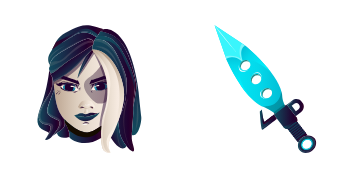
Domino cursor
Domino cute cursor pack: free custom cursors with bold battle style.
P-1000: cute cursor pack and free custom cursor for Fortnite fans.
Try this cursor
Move across the preview to feel both cursor styles.

Drop into every click with P-1000, a battle-ready cute cursor for Fortnite fans. Use this free custom cursor in Chrome and Edge, and on Windows 10/11 via Custom Cursor for a matching pointer on the desktop.
Rounded, tidy details keep P-1000 clear without crowding the pointer. Fan-made artwork celebrating Fortnite style - not an Epic Games official set.
Explore more from the collection like the Point Patroller Cursor Pack, the Raven Cursor Pack, and the Rex Dino Cursor Pack.
Grab the P-1000 cursor and bring some battle-pass fun to every scroll.
Explore other cursor packs from our collection
Domino cute cursor pack: free custom cursors with bold battle style.
Meet the Double Agent Hush cute cursor - free custom cursor ready for every click.
Drop the Drift Mask cute cursor - a free custom cursor for your desktop.
Install the Elite Agent cute cursor - free custom cursor packed with vibe.
Try Fennix cute cursor - free custom cursor with clean Fortnite energy.
Fishstick cute cursor download - free custom cursor for everyday clicks.

Fishstick classic cute cursor - free custom cursor for Fortnite fans.

Fortnight cute cursor - free custom cursor with Fortnite island vibes.

P-1000: cute cursor pack and free custom cursor for Fortnite fans.
Hit the 'Add to Browser' button to get the 'P-1000' pack.
On the Chrome Web Store, smash that ‘Add to Chrome’ button and confirm.
Pro-tip: Pin the 'Cute Cursors' extension to your toolbar for quick access.
Open the extension, find the 'P-1000' pack, and click to activate. Easy peasy!
Our universe of cursors is huge. Dive into hundreds of unique collections and find the one that truly represents you.
Explore All Collections
Idle
{
  "status": "idle"
}