

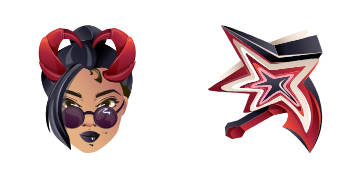
Surf Witch cursor
Free custom cursor: Surf Witch cute cursor with a bold Fortnite look.
Drop the Hemlock cute cursor - a free custom cursor for your desktop.
Try this cursor
Move across the preview to feel both cursor styles.

Keep the lobby energy going with Hemlock, a friendly cute cursor for daily use. This free custom cursor works in Chrome and Edge, and on Windows 10/11 with Custom Cursor for the same tip outside the browser.
High-contrast accents keep Hemlock sharp so the tip never disappears. It is fan-made cursor art inspired by Fortnite vibes - not an Epic Games official product.
More island looks wait in the Honor Guard Cursor Pack, the Iris Skin Pop Cursor Pack, and the Maki Master Cursor Pack.
Try the Hemlock pack and tuck island swagger into everyday clicks.
Explore other cursor packs from our collection
Free custom cursor: Surf Witch cute cursor with a bold Fortnite look.

Drop the Seeker Skin Outfit cute cursor - a free custom cursor for your desktop.

Meet the Black Lynx cute cursor - free custom cursor ready for every click.

Pick Bao Bros Toothpick Pickaxe cute cursor - a free custom cursor with lobby-ready charm.

8-Ball VS Scratch Skin cute cursor pack: free custom cursors with bold battle style.

Boxy X-ray Skin: cute cursor pack and free custom cursor for Fortnite fans.

Install the Boxy Girl cute cursor - free custom cursor packed with vibe.

Try Maki Master cute cursor - free custom cursor with clean Fortnite energy.

Drop the Hemlock cute cursor - a free custom cursor for your desktop.
Hit the 'Add to Browser' button to get the 'Hemlock' pack.
On the Chrome Web Store, smash that ‘Add to Chrome’ button and confirm.
Pro-tip: Pin the 'Cute Cursors' extension to your toolbar for quick access.
Open the extension, find the 'Hemlock' pack, and click to activate. Easy peasy!
Our universe of cursors is huge. Dive into hundreds of unique collections and find the one that truly represents you.
Explore All Collections
Idle
{
  "status": "idle"
}