

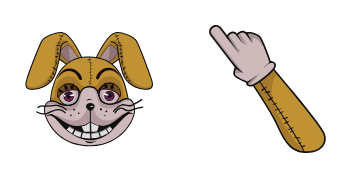
Glitchtrap cursor
Try Glitchtrap cute cursor - free custom cursor with clean FNaF energy.
Ultimate Custom Night Bonnie Star cursor - bright cute character custom cursor with matching pointer.
Try this cursor
Move across the preview to feel both cursor styles.

Meet a bright cute Ultimate Custom Night Bonnie Star character arrow with a soft darkened rim and a matching themed pointing-hand pointer tipped slightly left for links. The Ultimate Custom Night Bonnie Star cute cursor is a free custom cursor for Chrome and Edge, and it also works on Windows 10/11 through the Custom Cursor app.
Fan-made art keeps the tip readable at small pointer sizes. Not affiliated with any brand or rights holder. It is fan-made cursor art with no official affiliation.
Install the Ultimate Custom Night Bonnie Star cursor for Chrome or Edge, or grab the Windows Custom Cursor app pack and brighten every click.
Explore other cursor packs from our collection
Try Glitchtrap cute cursor - free custom cursor with clean FNaF energy.

Golden Freddy cute cursor download - free custom cursor for everyday clicks.

Pick Happy Frog cute cursor - a free custom cursor with night-shift charm.

soft Jack Kennedy cute cursor - free custom cursor with pizzeria style.

Lefty cute cursor - free custom cursor with FNaF pizzeria vibes.

Pick Pigpatch cute cursor - a free custom cursor with night-shift charm.

alt Pigpatch cute cursor - free custom cursor with pizzeria style.

Free custom cursor: Rockstar Foxy cute cursor with a bright FNaF look.

Ultimate Custom Night Bonnie Star cursor - bright cute character custom cursor with matching pointer.
Hit the 'Add to Browser' button to get the 'Ultimate Custom Night Bonnie Star' pack.
On the Chrome Web Store, smash that ‘Add to Chrome’ button and confirm.
Pro-tip: Pin the 'Cute Cursors' extension to your toolbar for quick access.
Open the extension, find the 'Ultimate Custom Night Bonnie Star' pack, and click to activate. Easy peasy!
Our universe of cursors is huge. Dive into hundreds of unique collections and find the one that truly represents you.
Explore All Collections
Install it now for free from the official Chrome Web Store
Idle
{
  "status": "idle"
}