

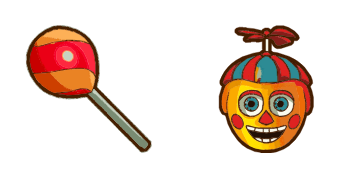
Balloon Boy cursor
Balloon Boy free custom cursor - cute cursor flair for FNaF fans.
Bonnie the Rabbit cute cursor download - free custom cursor for everyday clicks.
Try this cursor
Move across the preview to feel both cursor styles.

Load your mouse with Bonnie the Rabbit, a bold cute cursor for everyday browsing with a horror twist. This free custom cursor works in Chrome and Edge, and on Windows 10/11 with Custom Cursor for the same tip outside the browser.
Compact shading keeps Bonnie the Rabbit easy to track at small pointer sizes. It is fan-made cursor art inspired by Five Nights at Freddy's vibes - not an official Scott Cawthon or Steel Wool product.
Pair it with the Candy Cadet Cursor Pack, the El Chip Cursor Pack, and the FNaF Mr. Chipper & Chipper's Revenge Cursor Pack.
Pick up Bonnie the Rabbit and let a little Fazbear spirit ride your mouse.
Explore other cursor packs from our collection
Balloon Boy free custom cursor - cute cursor flair for FNaF fans.

Install the Bear Freddy cute cursor - free custom cursor packed with vibe.

Pick Candy Cadet cute cursor - a free custom cursor with night-shift charm.
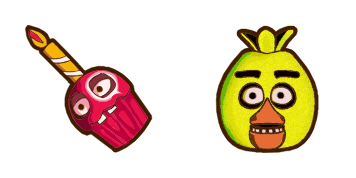
chibi Chica Chicken cute cursor - free custom cursor with pizzeria style.

Crying Child and Plush Fredbear cute cursor - free custom cursor with FNaF pizzeria vibes.
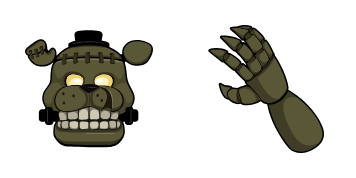
Grab the Dreadbear cute cursor - a free custom cursor pack for fans.

El Chip cute cursor pack: free custom cursors with night-shift style.

Drop the Five Nights at Freddy cute cursor - a free custom cursor for your desktop.

Bonnie the Rabbit cute cursor download - free custom cursor for everyday clicks.
Hit the 'Add to Browser' button to get the 'Bonnie the Rabbit' pack.
On the Chrome Web Store, smash that ‘Add to Chrome’ button and confirm.
Pro-tip: Pin the 'Cute Cursors' extension to your toolbar for quick access.
Open the extension, find the 'Bonnie the Rabbit' pack, and click to activate. Easy peasy!
Our universe of cursors is huge. Dive into hundreds of unique collections and find the one that truly represents you.
Explore All Collections
Idle
{
  "status": "idle"
}