


Bulma cursor
Bulma cute cursor pack - free custom cursor featuring Dragon Ball action charm.
Dragon Ball Legends cursor with Dragon Ball pointer - free dark outline custom cursor for saiyan fans.
Try this cursor
Move across the preview to feel both cursor styles.

Power up every link with a chibi saiyan fighter buddy and a sparkling Dragon Ball pointing hand in orange, gold, and blue. The Dragon Ball Legends cute cursor is a free custom cursor for Chrome and Edge, and it also works on Windows 10/11 through the Custom Cursor app.
Soft charcoal rim art reads cleanly on any wallpaper without a white sticker halo. It is fan-made cursor art with no official affiliation.
Download the Dragon Ball Legends cursor free and browse at full ki.
Explore other cursor packs from our collection
Bulma cute cursor pack - free custom cursor featuring Dragon Ball action charm.
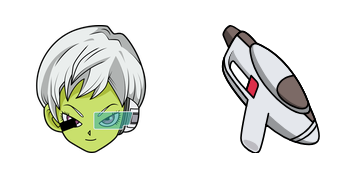
Download the Cheelai cute cursor - a custom cursor with a playful tournament vibe.

Try the Fusion Zamasu cute cursor - free custom cursor style with a bold Z-fighter look.

Vegeta Crewmate cute cursor pack - free custom cursor featuring Dragon Ball action charm.

Grab the Bardock Classic cute cursor - a free custom cursor with a sharp power-up silhouette.

Future Krillin cute cursor - a free custom cursor with Saiyan fight energy.

Piccolo Daimao cute cursor pack - free custom cursor featuring Dragon Ball action charm.

Download the Goku and 4-Stars Ball cute cursor - a custom cursor with a playful tournament vibe.

Dragon Ball Legends cursor with Dragon Ball pointer - free dark outline custom cursor for saiyan fans.
Hit the 'Add to Browser' button to get the 'Dragon Ball Legends' pack.
On the Chrome Web Store, smash that ‘Add to Chrome’ button and confirm.
Pro-tip: Pin the 'Cute Cursors' extension to your toolbar for quick access.
Open the extension, find the 'Dragon Ball Legends' pack, and click to activate. Easy peasy!
Our universe of cursors is huge. Dive into hundreds of unique collections and find the one that truly represents you.
Explore All Collections
Install it now for free from the official Chrome Web Store
Idle
{
  "status": "idle"
}