

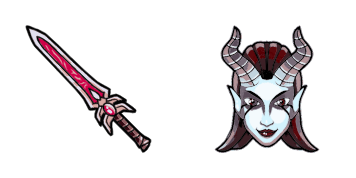
Queen of Pain cursor
Queen of Pain cute cursor set - free custom cursor with blink-dagger style.
Dota 2 Invoker cursor with Exort Orb pointer - free dark outline custom cursor.
Try this cursor
Move across the preview to feel both cursor styles.

A free Dota 2 Invoker custom cursor in dark outline style: chibi buddy arrow plus Exort Orb hover hand. The Dota 2 Invoker cute cursor is a free custom cursor for Chrome and Edge, and it also works on Windows 10/11 through the Custom Cursor app.
Chibi arrow and anthropomorphic Exort Orb share the same dark outline look. It is fan-made cursor art with no official affiliation.
Get the free Dota 2 Invoker custom cursor pack now.
Explore other cursor packs from our collection
Queen of Pain cute cursor set - free custom cursor with blink-dagger style.

Riki cute cursor set - free custom cursor with cloaked click energy.
Spectre cute cursor set - free custom cursor with dispersion mist flair.
Sven cute cursor set - free custom cursor with god-strength grit.

Dota 2 Games cute cursor - free custom cursor with esports arena polish.

Dota 2 Characters cursor - a soft fantasy roster buddy for fans of the Ancient battlefield.

Dota 2 Heroes cursor - an armored champion arrow ready for mid-lane clicks.

Dota 2 Logo cursor - a friendly fantasy shield crest buddy inspired by MOBA vibes.

Dota 2 Invoker cursor with Exort Orb pointer - free dark outline custom cursor.
Hit the 'Add to Browser' button to get the 'Dota 2 Invoker' pack.
On the Chrome Web Store, smash that ‘Add to Chrome’ button and confirm.
Pro-tip: Pin the 'Cute Cursors' extension to your toolbar for quick access.
Open the extension, find the 'Dota 2 Invoker' pack, and click to activate. Easy peasy!
Our universe of cursors is huge. Dive into hundreds of unique collections and find the one that truly represents you.
Explore All Collections
Install it now for free from the official Chrome Web Store
Idle
{
  "status": "idle"
}