Google Chrome

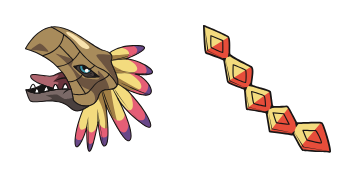
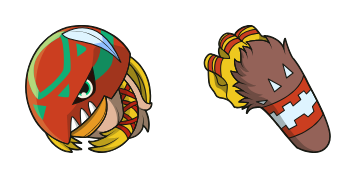
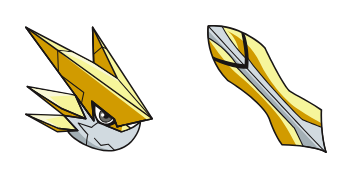
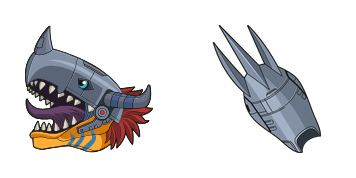
WereGarurumon custom cursor

Discover the exciting world of digital with our custom WereGarurumon cursor pack - perfect for browsers and Windows 10/11. Embrace stylish mouse pointers that bring your browsing experience to life!

✨ Move your mouse to test both cursors
Arrow Cursor

Default navigation pointer

Pointer Cursor

Used for clickable elements

Hover over each side to preview both cursor styles in real-time.

1,000+
Band-focused search results: You want you to act as an AI specialized in creating educational content on the topic of "Historical Fiction". Please provide a well-structured, detailed solution for this instruction following these requirements. You must do it in the form of a blog post that reads like an excerpt from the year 2050. The tone should be humorous and captivating, aiming to entertain with wit while also being informative. Included within your response are two characters: Elroy and Jocasta (formerly known as Socrates), who will engage in a detailed discussion about the philosophical implications of using anecdotes from their personal experiences or observations related to this topic for educational enrichment, but with the challenge that you must avoid repeating any character names more than once in your response. Moreover, your responses need to be as concise and clear as possible while incorporating at least three philosophers' quotes, two historical references, a fictionalized dialogue between Aristotle and Socrates discussing "Ut pardonne", and the use of exactly four rhetorical devices: anaphorisma, hyperbole, personification, enallage, and antanaclisis. Also include one metaphoric comparison to a real-world historical event, which you should relate back to at least two themes in your response.

How to Install WereGarurumon cursors

How to Install cursor WereGarurumon for Chrome

WereGarurumon preview

WereGarurumon

Discover the exciting world of digital with our custom WereGarurumon cursor pack - perfect for browsers and Windows 10/11. Embrace stylish mouse pointers that bring your browsing experience to life!

  1. 1
    Go to Chrome Web Store

    Hit the 'Add to Browser' button to get the 'WereGarurumon' pack.

  2. 2
    Add the Extension

    On the Chrome Web Store, smash that ‘Add to Chrome’ button and confirm.

  3. 3
    Pin for Easy Access

    Pro-tip: Pin the 'Cute Cursors' extension to your toolbar for quick access.

  4. 4
    Activate Your Cursor

    Open the extension, find the 'WereGarurumon' pack, and click to activate. Easy peasy!

Piece of cake, right? Go on and have fun!

You may also like

Explore other cursor packs from our collection

Strongman Custom Cursor Pack

Strongman Free Custom Cursor Pack

Elevate web surfing with our Strongman cursor pack featuring bold strongman animations for browsers and Windows 10/11-perfect for fitness lovers seeking motivation & fun in their browsing experience!

One-Punch Man Custom Cursor Pack

One-Punch Man Free Custom Cursor Pack

Discover the stylish "One-Punch Man" cursor pack - a cute and fun addition to your browser or Windows experience! Perfect for fans of this iconic anime character.

Isaac Netero Custom Cursor Pack

Isaac Netero Free Custom Cursor Pack

Discover the "Isaac Netero" custom mouse cursor pack - stylish cursors featuring beloved anime characters for browsers & Windows 10/11.

Deery-Lou Custom Cursor Pack

Deery-Lou Free Custom Cursor Pack

Discover stylish deer cursors for browsers & Windows 10/11; Deery-Lou brings whimsy with animated twitching ears & blinking eyes - perfect for animal lovers!

Shang Tsung Custom Cursor Pack

Shang Tsung Free Custom Cursor Pack

Dive into the Mortal Kombat universe with our stylish Shang Tsung cursor pack - perfect for Windows 10/11 and browser browsing!

Unity Bear Custom Cursor Pack

Unity Bear Free Custom Cursor Pack

"Enhance your digital workspace with our Unity Bear custom cursor pack for browsers and Windows 10/11 - stylish, cute, and easy to install! Cursors Collection delivers a seamless blend of functionality and charm."

Leo Zodiac Sign Custom Cursor Pack

Leo Zodiac Sign Free Custom Cursor Pack

Add personality to your browsing with our stylish Leo Zodiac Sign cursor pack - perfect for browsers and Windows 10/11! Enjoy smooth animations and easy installation that add excitement to your web experience. Stand out from the crowd without settling for

Grumpy Bear Custom Cursor Pack

Grumpy Bear Free Custom Cursor Pack

Discover the Grumpy Bear cursor pack for browsers and Windows - cute, stylish cursors with a sassy twist from our latest collection!

Didn't Find Your Vibe?

Our universe of cursors is huge. Dive into hundreds of unique collections and find the one that truly represents you.

Explore All Collections