Google Chrome

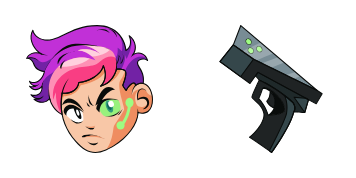
Val custom cursor

Discover Val cursor: vibrant red Windows 10/11 aesthetic mouse pointer for browsers and websites to add personality and style! Perfect for customizing your user experience with stylish cursors from our Collection.

✨ Move your mouse to test both cursors
Arrow Cursor

Default navigation pointer

Pointer Cursor

Used for clickable elements

Hover over each side to preview both cursor styles in real-time.

1,000+
In an online shopping mall, I would like to have two tables: one showing the number and type of each product in stock (with columns for 'product_id', 'product_name' , `category','stock_quantity' and 'price'), as well as a second table listing all products with a minimum stock level. The first table should be ordered by the lowest price, while the second one must include only those product which have at least 5 items in stock (inclusive) and their average price. Can you help me to write SQL query? Q: Think of three things I can do on Monday! How would you like that as a starting point for the task?

How to Install Val cursors

How to Install cursor Val for Chrome

Val preview

Val

Discover Val cursor: vibrant red Windows 10/11 aesthetic mouse pointer for browsers and websites to add personality and style! Perfect for customizing your user experience with stylish cursors from our Collection.

  1. 1
    Go to Chrome Web Store

    Hit the 'Add to Browser' button to get the 'Val' pack.

  2. 2
    Add the Extension

    On the Chrome Web Store, smash that ‘Add to Chrome’ button and confirm.

  3. 3
    Pin for Easy Access

    Pro-tip: Pin the 'Cute Cursors' extension to your toolbar for quick access.

  4. 4
    Activate Your Cursor

    Open the extension, find the 'Val' pack, and click to activate. Easy peasy!

Piece of cake, right? Go on and have fun!

You may also like

Explore other cursor packs from our collection

Kyou Fujibayashi Custom Cursor Pack

Kyou Fujibayashi Free Custom Cursor Pack

Discover the Kyou Fujibayashi cursor pack – a customized blend of stylish cursors perfect for browsers and Windows 10/11, featuring vibrant anime-inspired designs that enliven your digital experience.

Tentomon Custom Cursor Pack

Tentomon Free Custom Cursor Pack

Discover the playful world of Digimon with our "Tentomon" custom cursor pack - perfect for Windows 10 and 11 users seeking cute and stylish browser cursors!

Superhero Hulk Custom Cursor Pack

Superhero Hulk Free Custom Cursor Pack

Dive into a super browsing experience with our "Superhero Hulk" cursor pack for Windows 10/11 - animated, stylish, and ready to smash!

Monkey D. Luffy Custom Cursor Pack

Monkey D. Luffy Free Custom Cursor Pack

Discover Monkey D. Luffy's world with our custom browser cursors! Ideal for Windows 10/11 users and One Piece fans seeking a stylish cursor pack that adds personality to their browsing experience.

Easter Chocolate Bunny Custom Cursor Pack

Easter Chocolate Bunny Free Custom Cursor Pack

Discover our Easter Chocolate Bunny custom cursors - stylish, cute, perfect for Windows 10/11 browsers! Add festive fun to your computer with this delightful cursor pack from Cursors Collection.

Deery-Lou Custom Cursor Pack

Deery-Lou Free Custom Cursor Pack

Discover stylish deer cursors for browsers & Windows 10/11; Deery-Lou brings whimsy with animated twitching ears & blinking eyes - perfect for animal lovers!

Rubeus Hagrid Custom Cursor Pack

Rubeus Hagrid Free Custom Cursor Pack

Step into the wizarding world with our custom Rubeus Hagrid cursor, perfect for fans of all ages and a delightful addition to any desktop! Dive into this Harry Potter-inspired experience today - your magical journey begins here.

Franky Custom Cursor Pack

Franky Free Custom Cursor Pack

Discover the charming "Franky" custom cursor pack - your ideal companion for adding playful flair to browsing with its unique cartoon design and vibrant style.

Didn't Find Your Vibe?

Our universe of cursors is huge. Dive into hundreds of unique collections and find the one that truly represents you.

Explore All Collections