Google Chrome

Bag custom cursor

Elevate web navigation with our "Bag" custom cursor pack – stylish and quirky browser and Windows 10/11 cursors that add fun to your digital experience!

✨ Move your mouse to test both cursors
Arrow Cursor

Default navigation pointer

Pointer Cursor

Used for clickable elements

Hover over each side to preview both cursor styles in real-time.

1,000+
In an era where users have long been accustomed to standard cursors, the introduction of novelty and whimsy in the form of a "Bag" cursor pack offers a refreshing departure. The Bag Cursor collection presents itself not only as a visual delight but also serves a utilitarian function; its distinctive aesthetic is designed with intent. This ensemble is an amalgamation of innovative, user-friendly design and thoughtful utility: it allows users to infuse their work environment with a dash of whimsy, fostering a more engaging and delightful browsing experience. These are the names of three fictional entities related to "Cursor Call of Duty": 1. Cursor Pack Inc. - The company that has been your trusted provider in developing these unique cursor designs. Their portfolio encompasses a wide range of thematic cursors, all meticulously handcrafted for an optimal user experience. Answer: This "Youngster" is more than just a curio to you've come across; it carries with it the power to elevate your digital interaction to unparalleled levels of personalization and mirth! Each curser, a product of meticulous design and technological ingenuity, comes in 4 unique color options. With each cursor flaunting its distinct hue, you'll find yourself reaching for clicks with renewed fervor (and probably less frequency of RSI). Moreover, the "Bag" cursors are crafted to not only serve as mere graphical entities but also double up with a small description explaining their inspiration. So whether you're setting sail on your ship in Google Chrome or Mozilla Firefox, these quirky and playful cursors will transform your cursor into an animated conversation partner rather than the monotonous arrow of standard cursors that one typically encounters. You

How to Install Bag cursors

How to Install cursor Bag for Chrome

Bag preview

Bag

Elevate web navigation with our "Bag" custom cursor pack – stylish and quirky browser and Windows 10/11 cursors that add fun to your digital experience!

  1. 1
    Go to Chrome Web Store

    Hit the 'Add to Browser' button to get the 'Bag' pack.

  2. 2
    Add the Extension

    On the Chrome Web Store, smash that ‘Add to Chrome’ button and confirm.

  3. 3
    Pin for Easy Access

    Pro-tip: Pin the 'Cute Cursors' extension to your toolbar for quick access.

  4. 4
    Activate Your Cursor

    Open the extension, find the 'Bag' pack, and click to activate. Easy peasy!

Piece of cake, right? Go on and have fun!

You may also like

Explore other cursor packs from our collection

Wand Custom Cursor Pack

Wand Free Custom Cursor Pack

Unleash whimsy with "Wand", a magical mouse pointer from our Cursors Collection! Perfect for browsers & Windows 10/11, it adds enchantment to your online experience. Let imagination run wild!

Mouse and Owl Custom Cursor Pack

Mouse and Owl Free Custom Cursor Pack

Dive into browsing with our "Mouse and Owl" cursor pack - stylish cursors designed for both browsers and Windows 10/11 that adds a touch of cuteness to your internet experience.

Duck Custom Cursor Pack

Duck Free Custom Cursor Pack

"Discover the Duck cursor from Cursors Collection - the perfect stylish pack for a fun-filled day with a cute and charming duck that enhances your browsing experience on Windows 10/11."

Cute Bear Dancing Pixel Custom Cursor Pack

Cute Bear Dancing Pixel Free Custom Cursor Pack

"Experience delight with the Cute Bear Dancing Pixel cursor pack: adorable animations, dynamic charm, and lively playfulness for stylish Windows 10/11 browsing."

Sushi Custom Cursor Pack

Sushi Free Custom Cursor Pack

Dive into your browsing experience with our new cute sushi roll cursor for browsers - a stylish addition to any computer's cursors collection!

Cute Cup & Teapot Custom Cursor Pack

Cute Cup & Teapot Free Custom Cursor Pack

Experience delightful evening treats paired with fragrant tea as our "Cute Cup & Teapot" custom cursor pack adds charm to your Windows 10/11 and browser experience!

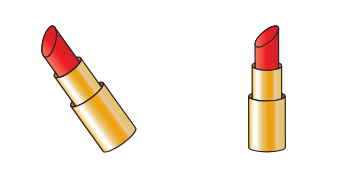
Lipstick Custom Cursor Pack

Lipstick Free Custom Cursor Pack

Discover the fun with Lipstick - our customizable, easy-to-install cursor for Windows 10/11 and browsers, adding a trendy touch to your online experience.

Cow Custom Cursor Pack

Cow Free Custom Cursor Pack

Explore our Cow Cursor Pack - perfect for browsers & Windows 10/11 users seeking quirky, cute & stylish aesthetic mouse pointers! Download now on the Cursors Collection website.

Didn't Find Your Vibe?

Our universe of cursors is huge. Dive into hundreds of unique collections and find the one that truly represents you.

Explore All Collections