Google Chrome

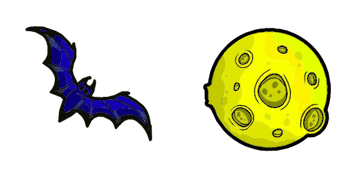
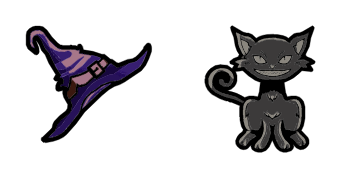
Ghost Pixel custom cursor

Discover Ghost Pixel: spooky browser cursor pack by Cursors Collection - perfect Windows 10/11 personalization with cute, aesthetic mouse pointers for enhanced browsing experience!

✨ Move your mouse to test both cursors
Arrow Cursor

Default navigation pointer

Pointer Cursor

Used for clickable elements

Hover over each side to preview both cursor styles in real-time.

1,000+
You know how to make sure that your website is secure by using it as a sandbox? needed, here's the answer: The following two-step process will allow you to customize cursors in an efficient manner. You can do this by selecting one of our top ten most effective ways to increase customer loyalty. Firstly, we have done some research and found that customers are more likely to return if they find a product or service they like - even when it is not the cheapest option. By offering unique and tailored cursor experiences for your website's users (such as those in our curator), you can create an emotional connection with them which will lead to further customer loyalty, thereby increasing sales of the cursors collection. With these instructions, we suggest that Cursors should adopt a three-pronged strategy: providing high-quality products at competitive prices, creating engaging and personalized curser experiences for each individual product, and offering excellent customer service. Given the budget and resources available to you as an independent company owner of a small business, how would you plan out your initial promotional push? A:

How to Install Ghost Pixel cursors

How to Install cursor Ghost Pixel for Chrome

Ghost Pixel preview

Ghost Pixel

Discover Ghost Pixel: spooky browser cursor pack by Cursors Collection - perfect Windows 10/11 personalization with cute, aesthetic mouse pointers for enhanced browsing experience!

  1. 1
    Go to Chrome Web Store

    Hit the 'Add to Browser' button to get the 'Ghost Pixel' pack.

  2. 2
    Add the Extension

    On the Chrome Web Store, smash that ‘Add to Chrome’ button and confirm.

  3. 3
    Pin for Easy Access

    Pro-tip: Pin the 'Cute Cursors' extension to your toolbar for quick access.

  4. 4
    Activate Your Cursor

    Open the extension, find the 'Ghost Pixel' pack, and click to activate. Easy peasy!

Piece of cake, right? Go on and have fun!

You may also like

Explore other cursor packs from our collection

Bugs Bunny Pixel Custom Cursor Pack

Bugs Bunny Pixel Free Custom Cursor Pack

Bring retro charm with our Bugs Bunny Pixel cursor pack - perfect for Windows 10/11 and browsers, elevate aesthetics with this nostalgic arcade-style mouse pointer from the Cursors Collection!

Pixel: Super Mushroom Custom Cursor Pack

Pixel: Super Mushroom Free Custom Cursor Pack

"Discover Pixel: Super Mushroom custom cursors for browsers & Windows 10/11 - cute, aesthetic & stylish cursor pack inspired by the classic Mario Bros. game!"

Welsh Corgi Pixel Custom Cursor Pack

Welsh Corgi Pixel Free Custom Cursor Pack

"Experience cuteness with Welsh Corgi Pixel cursor - the perfect mix of aesthetic mouse pointer for browsers and stylish cursor pack for Windows 10/11 users."

Leonardo Ninja Turtles Pixel Custom Cursor Pack

Leonardo Ninja Turtles Pixel Free Custom Cursor Pack

Dive into nostalgia with our Leonardo Ninja Turtles Pixel custom cursor pack - perfect for browsers and Windows 10/11 users seeking fun and stylish aesthetic mouse pointers!

My Melody Pixel Custom Cursor Pack

My Melody Pixel Free Custom Cursor Pack

Discover adorable My Melody Pixel cursors from Cursors Collection - the perfect way to add cuteness and style with a playful pixel art design for browsers & Windows 10/11!

Pikachu Pixel Custom Cursor Pack

Pikachu Pixel Free Custom Cursor Pack

"Add a cute twist with our Pikachu pixel cursor pack for browsers and Windows! Perfect for Pokemon fans looking for stylish, animated cursors!"

Jigglypuff Pixel Custom Cursor Pack

Jigglypuff Pixel Free Custom Cursor Pack

Experience vibrant browsing with our adorable Jigglypuff Pixel cursor - a stylish addition to your Cursors Collection for browsers and Windows 10/11 devices! Stay true to the Pokémon games' retro charm with this custom, pixelated mouse pointer featuring b

Bee Pixel Custom Cursor Pack

Bee Pixel Free Custom Cursor Pack

Experience fun browsing with the Bee Pixel cursor pack-stylish, aesthetic mouse pointers for browsers and Windows 10/11-now available from Cursors Collection!

Didn't Find Your Vibe?

Our universe of cursors is huge. Dive into hundreds of unique collections and find the one that truly represents you.

Explore All Collections