

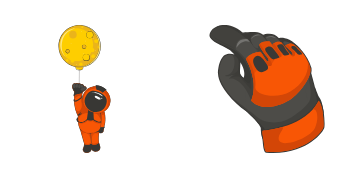
Brave Astronaut cursor
Try the Brave Astronaut cute cursor - free custom cursor style with a playful space-inspired pointer.
Saturn Planet cute cursor - a free custom cursor with cosmic color and orbital charm.
Try this cursor
Move across the preview to feel both cursor styles.

Launch a little cosmic character into every tab with the Saturn Planet cute cursor. The artwork balances Saturn Planet character with a compact form that remains readable while browsing.
This free custom cursor works in Chrome and Edge, and on Windows 10/11 with Custom Cursor. This is fan-made space cursor art and is not an official product of any space agency or featured brand.
Pair this orbital look with the Attractive Astronaut Cursor Pack and the Earth Planet Cursor Pack.
Install Saturn Planet and give everyday browsing a brighter orbital accent.
Explore other cursor packs from our collection
Try the Brave Astronaut cute cursor - free custom cursor style with a playful space-inspired pointer.
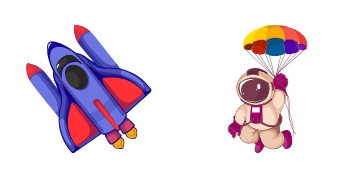
Download the Hilarious Astronaut cute cursor - a custom cursor full of an adventurous galaxy-ready look.

Cute Astronaut custom cursor - a cute cursor pack with bright interstellar style for every click.

Astronaut cute cursor - a free custom cursor with cosmic color and orbital charm.
 A
AColorful Airplane custom cursor - a cute cursor pack with bright interstellar style for every click.
 A
AFlying Meteorite on Fire cute cursor - a free custom cursor with cosmic color and orbital charm.

Chibi astronaut arrow cursor in a grey suit with orange accents and a blue visor, plus a spacesuit-glove pointer.

Metallic three-thruster rocket arrow cursor with cyan engine flames, plus a rocket-plated pointing hand.

Saturn Planet cute cursor - a free custom cursor with cosmic color and orbital charm.
Hit the 'Add to Browser' button to get the 'Saturn Planet' pack.
On the Chrome Web Store, smash that ‘Add to Chrome’ button and confirm.
Pro-tip: Pin the 'Cute Cursors' extension to your toolbar for quick access.
Open the extension, find the 'Saturn Planet' pack, and click to activate. Easy peasy!
Our universe of cursors is huge. Dive into hundreds of unique collections and find the one that truly represents you.
Explore All Collections
Install it now for free from the official Chrome Web Store
Idle
{
  "status": "idle"
}